

Integration Modes (Test vs Live)
Overview
MoneyHash has two modes: Test and Live. Test mode is fully simulated by MoneyHash and never talks to a provider. Live mode is the only mode that communicates with real providers. The most important thing to know up front: testing against a provider's sandbox happens in Live mode, not Test mode.
- Test mode - fully simulated by MoneyHash. It does not communicate with any payment provider. You can build and test payment flows instantly, without provider credentials.
- Live mode - connects directly to real payment providers using real credentials. This is the only mode that talks to provider systems. Within Live mode you can target the provider's sandbox or its live environment.
Test mode
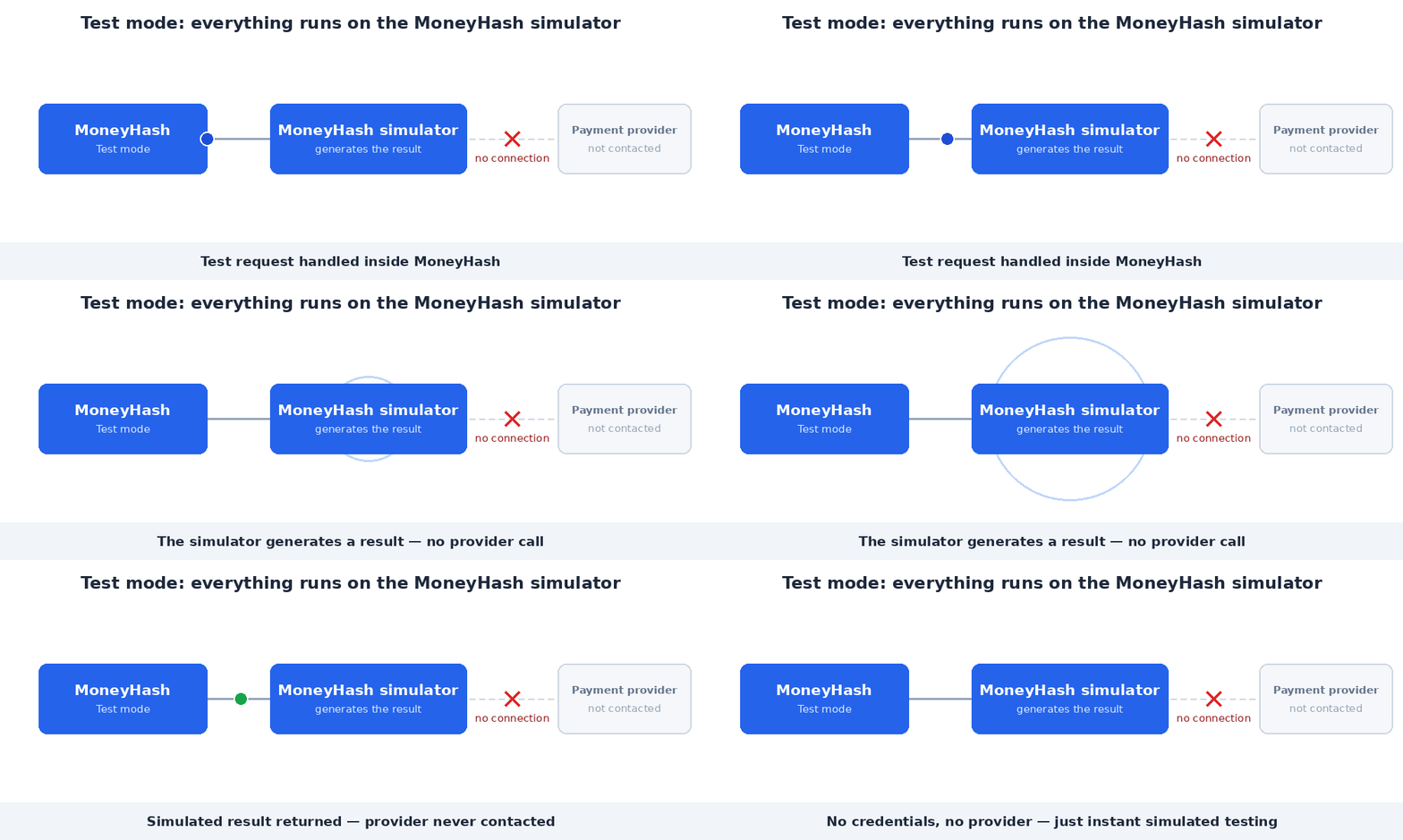
Test mode runs entirely on the MoneyHash simulator. Because nothing is sent to a provider:
- You do not need provider API credentials. When you add a provider connection in Test mode, any input is accepted - MoneyHash isn't connecting to the provider or validating the keys.
- All results are produced by the MoneyHash simulator.
Use it for: instantly building and testing your payment flows and integration logic, with zero provider setup and no risk.
Because Test mode is simulated, card tokenization does not save cards in Test mode. If you need to validate saved-card behavior, do it in Live mode against the provider sandbox.
Live mode
Live mode is where MoneyHash communicates with the real provider, using real credentials and account information.
Within Live mode, each connection can point at either:
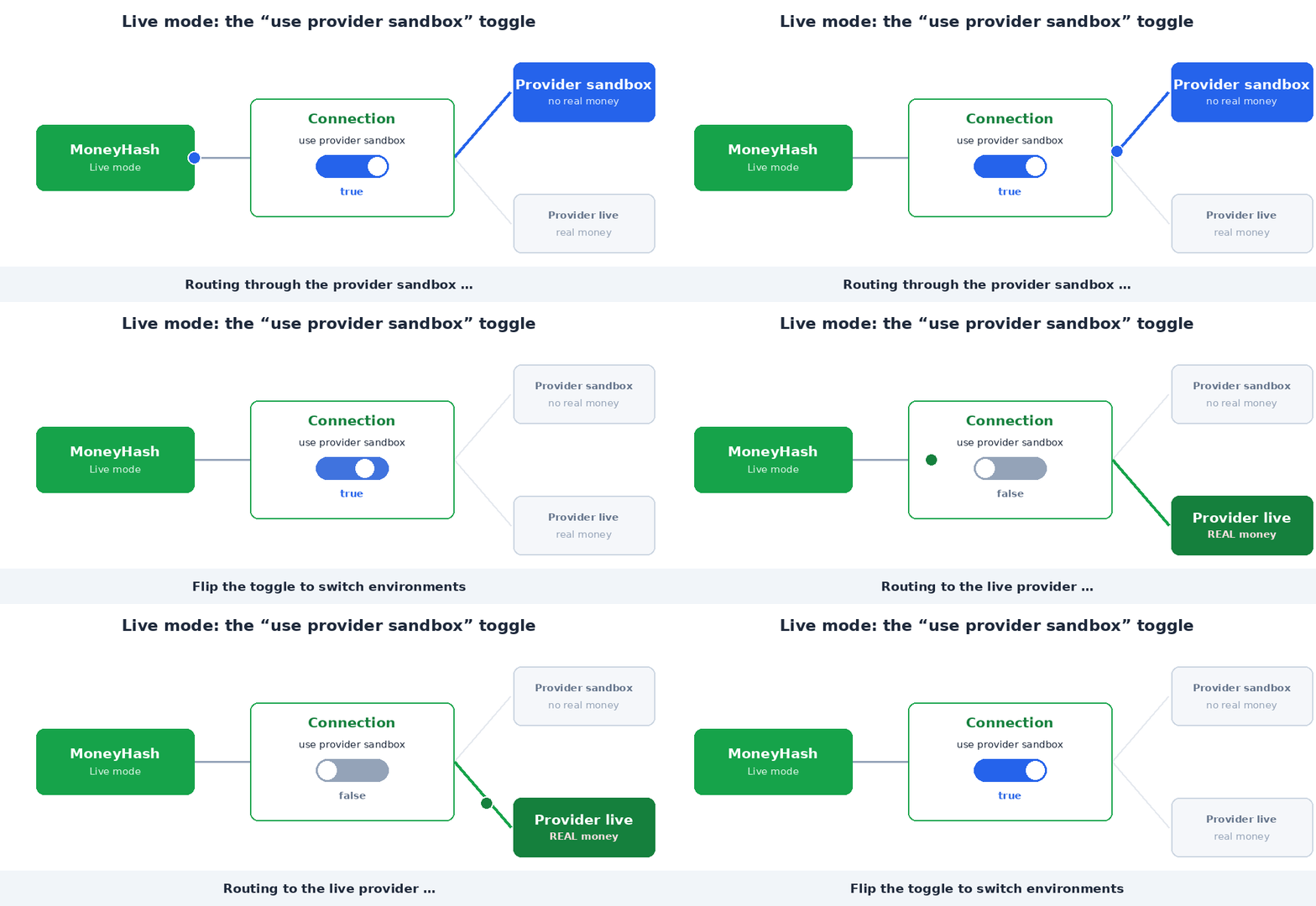
- the provider sandbox - set
use provider sandbox = true, or - the provider live environment - set
use provider sandbox = false(real money).
This is the key point developers get wrong: if you want to test with the provider itself - including the provider's test keys or sandbox - you must use Live mode, because Live mode is the only mode that communicates with the provider.
To test a specific provider, create the connection and flow in Live mode and set use provider sandbox = true. That routes your test through the provider's sandbox.
How providers expose sandbox vs. live
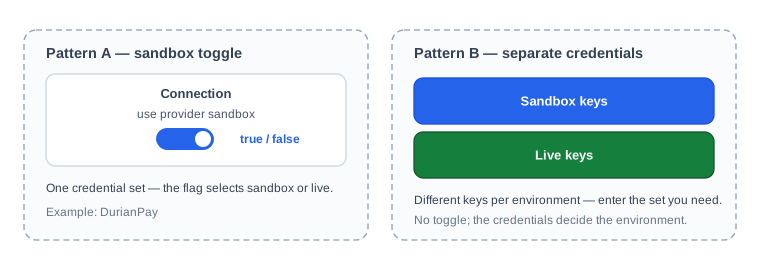
Not every provider uses a use provider sandbox flag. There are two patterns, and both happen in Live mode:
- Sandbox toggle - one credential set, and
use provider sandbox = true / falseselects the environment. - Separate credentials - the provider issues different keys for sandbox and live. You enter the key set for the environment you want, there's no toggle, the credentials themselves decide.
How each mode actually works
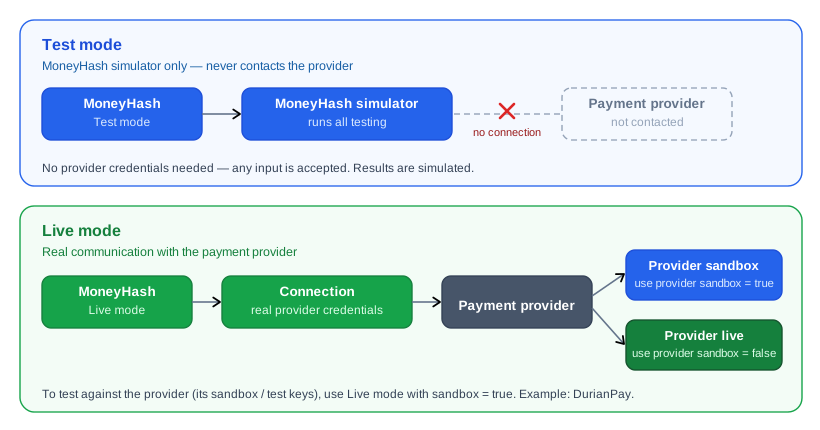
Test mode stops at the MoneyHash simulator. Live mode reaches the real provider, and the use provider sandbox flag decides whether you hit the provider's sandbox or its live environment.
Which mode for your goal
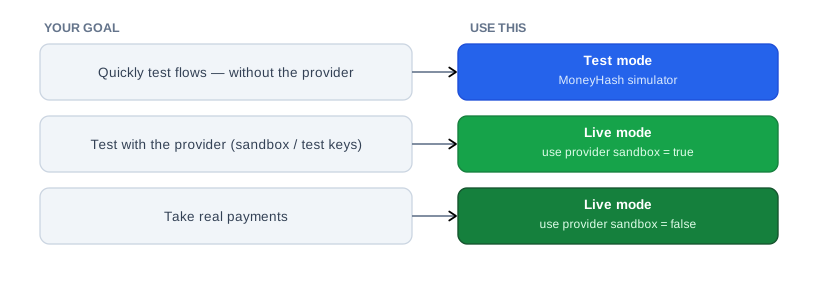
Test vs Live at a glance
| Test mode | Live mode | |
|---|---|---|
| Communicates with the provider | No - fully simulated | Yes |
| Provider credentials needed | No - any input accepted | Yes - real credentials |
| Test against provider sandbox / test keys | Not here | Yes - use provider sandbox = true |
| Real payments | No | Yes - use provider sandbox = false |
| Best for | Instant flow & integration testing | Provider testing and production |
Separate accounts for provider sandbox vs. provider live
Because both provider-sandbox testing and real payments happen in Live mode, the recommended setup is to keep them in separate accounts: a staging account whose connections use use provider sandbox = true, and a production account whose connections use use provider sandbox = false. This keeps test traffic and real traffic cleanly apart.
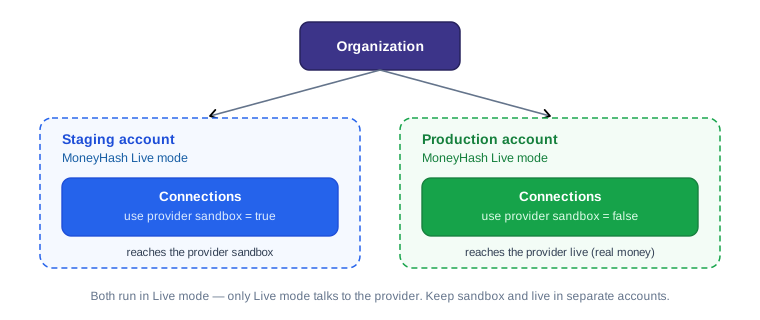
Account structure is covered in more depth on the Organization and Account page.
Switching between modes
Test mode and Live mode are separate, parallel environments. Configuration does not carry over between them.
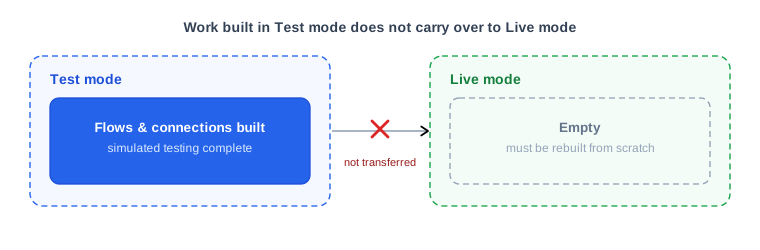
If you build a full flow in Test mode and then switch to Live, that work does not come with you — you have to rebuild the flow and connections in Live mode. Plan for this: if your goal is to test against the provider and then go live, do that work directly in Live mode (start with use provider sandbox = true, then switch it to false for production) rather than building it in Test mode and redoing it.
Common mistakes to avoid
- Expecting Test mode to reach the provider. It never does - it's fully simulated.
- Trying to use provider sandbox or test keys in Test mode. Provider testing only works in Live mode with
use provider sandbox = true. - Entering "real" credentials in Test mode and assuming they're being used or checked - they aren't.
- Assuming every provider has a sandbox toggle. Some providers use separate sandbox and live credentials instead - enter the right key set for the environment.
- Building everything in Test mode and expecting it to appear in Live mode after switching. It won't; you'll rebuild it.
Updated 3 months ago