

Payment Routing and Flows
Overview
Routing puts you in control of how every payment is processed - which provider handles it, and what happens if an attempt fails - and lets you change that decision whenever you need, without touching your integration or redeploying code. Instead of hardcoding a single provider, you define the logic once in a flow, and your code simply references it by its flow ID when creating a payment intent; MoneyHash applies your rules and returns one result. The result: one integration, many providers, and full control over routing and recovery - managed in MoneyHash, not buried in your code
The result: one integration, many providers, and full control over routing and recovery - managed in MoneyHash, not buried in your code. Update a flow and the change takes effect for new payments, no redeploy required.
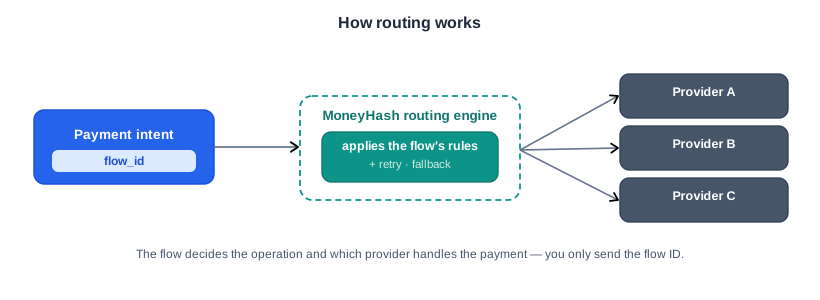
What is a Payment Flow?
A flow is a named routing configuration with its own flow ID and a publish status (it must be published to be used). In one place, a flow can decide:
- which providers handle a payment - and the order to try them
- the conditions that choose between them - currency, country, amount, card and BIN attributes, risk level, and more
- the operation to perform (such as purchase or authorize)
- what happens on failure - retry, fall back to another provider, or route differently based on the decline.
That's the power of routing: decisions like BIN-based routing, risk-based routing, and failure recovery live in the flow - so you don't send them yourself, you just point the payment at the flow.
How a Flow Chooses a Provider
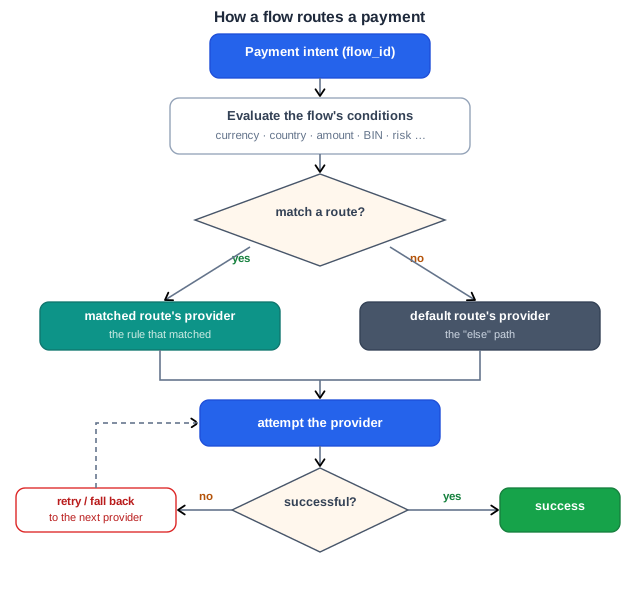
When a payment references a flow, the flow evaluates its conditions - things like currency, country, amount, or card type - to pick a route. It then selects that route's provider and attempts the payment. If there's no matching route, the flow's default route is used. And if an attempt fails, the flow can retry or fall back to the next provider - all without any change on your side.
Retry and Fallback
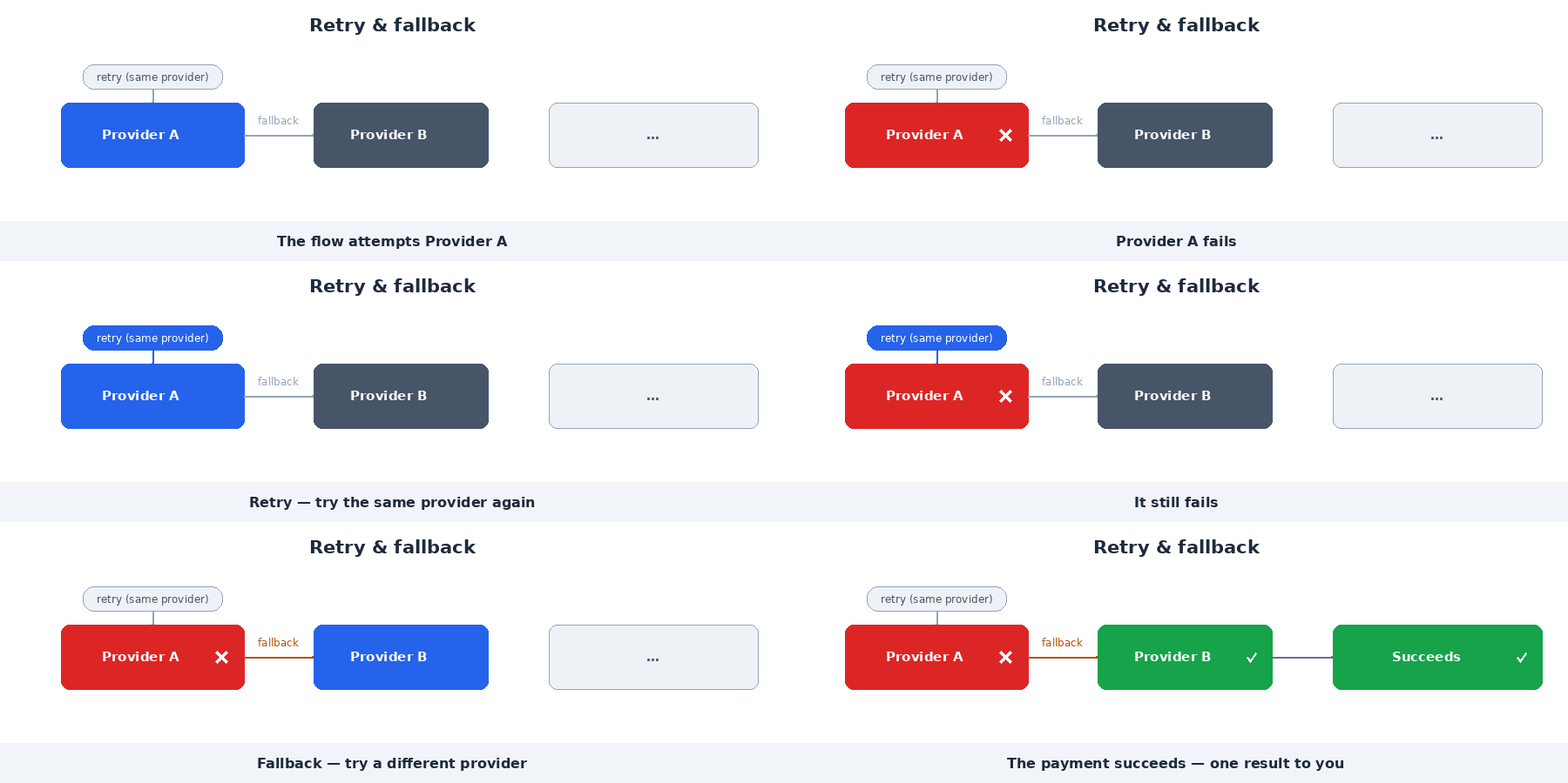
A flow can also recover from a failed attempt, so a single decline doesn't have to mean a failed payment:
- Retry - try the same provider again.
- Fallback - try a different provider.
Both are configured inside the flow, and MoneyHash returns one consistent result to you regardless of how many attempts happened behind the scenes.
Routing in Action
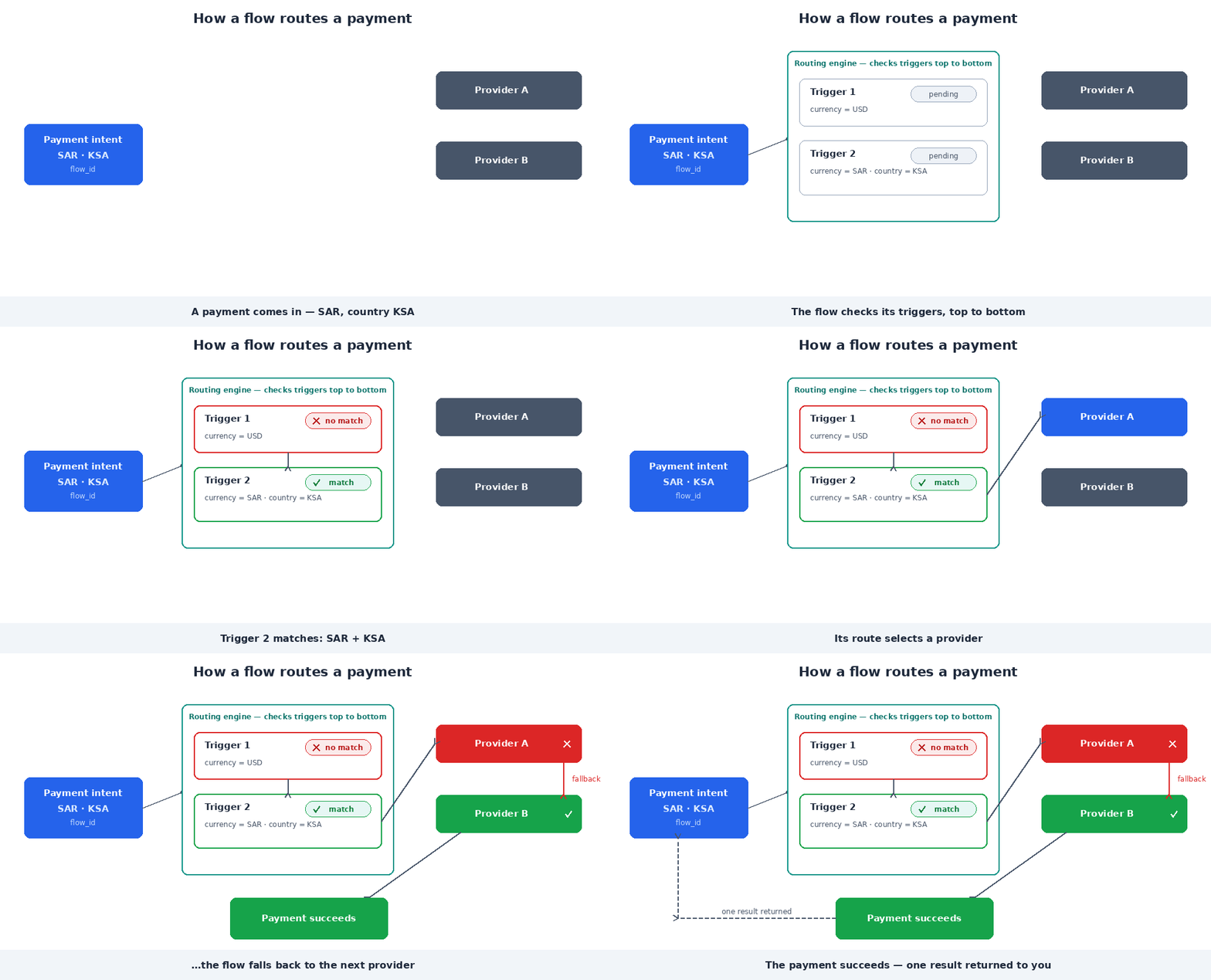
Putting it together: the flow evaluates its conditions, selects a provider, and if that provider fails it falls back to the next one - returning a single result to you.
Choose what the customer sees (Dynamic Checkout)
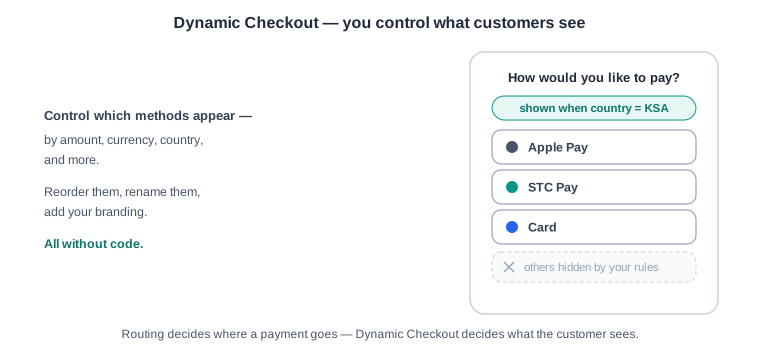
Routing decides where a payment goes, Dynamic Checkout decides what the customer sees. From the same flow, you control which payment methods appear at checkout - and you can show different methods to different customers based on conditions like amount, currency, or country.
Show only the methods that fit each market, put your highest-converting options first, and match your branding - all without code. Change it in MoneyHash and it's live for the next checkout.
Using a Flow
To route a payment through a flow, add its flow_id to the create payment intent request.
When to use it: whenever you want MoneyHash to choose the provider and apply retry/fallback for you, instead of targeting a single provider from your code.
Why use it: you can change providers, conditions, and recovery logic by editing the flow - with no code change on your side.
Because the flow decides the operation, do not send operation together with flow_id:
{
  "amount": 50,
  "amount_currency": "usd",
  "flow_id": "<YOUR_FLOW_ID>",
  "webhook_url": "https://example.com/webhooks/moneyhash"
}
Heads up: sending
operationalongsideflow_idis rejected - the flow owns the operation:{ "status": { "code": 400, "message": "", "errors": [ { "operation": "operation can not be sent with flow, flow will decide the operation" } ] }, "data": {}, "count": null, "next": null, "previous": null }
Common Errors
| Situation | What you'll see in status.errors |
|---|---|
Sent operation with flow_id | { "operation": "operation can not be sent with flow, flow will decide the operation" } |
| Flow isn't published | { "flow": "flow must be published" } |
| Flow ID doesn't exist | { "flow": "invalid flow id" } |
Updated 2 months ago